

Eliminating Desktop Power Brick Clutter
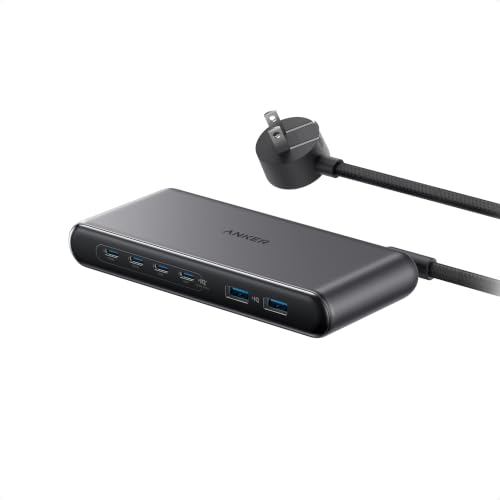
Heavy power adapters and tangled extension cords turn modern workspaces into chaotic nests of plastic and wire. Plugging three separate wall warts into a single strip often leaves high-power computers throttling or starving for current. A dedicated hub solves this bottleneck by consolidating high-wattage power delivery into a single organized hub. Selecting the best laptop charging station ensures your computer receives stable USB-C Power Delivery so it won’t drop wattage when you plug in a secondary tablet or smartphone. If you frequently pack your mobile workstation, knowing how to wrap a Mac charger protects cables from internal fraying while you transition between desktop docks.
Modern multi-port charging hubs rely on advanced GaN technology to run cooler and occupy minimal space compared to traditional silicon bricks. Based on our detailed comparison of port allocations, wattage ratings, and user feedback, desktop docks that supply at least 65W to 100W per dedicated USB-C port keep demanding machines running smoothly under heavy CPU workloads. Integrated safety features like overvoltage protection and smart dynamic power distribution continuously monitor device loads to prevent overheating and battery degradation. Users who balance remote tasks and daily commuting can also pair their workspace hub with a reliable best portable charger for travel to maintain uninterrupted power on the road. Investing in solid desktop charging hardware eliminates cluttered power strips and keeps all your primary work electronics charged and ready.



Frequently Asked Questions
What wattage does the Best Laptop Charging Station need to deliver to run a laptop properly?
A capable station needs to deliver at least 65W to 100W per dedicated USB-C port to power most modern laptops effectively. Lightweight notebooks charge reliably on 45W to 65W, while heavier machines require 100W to maintain full battery levels under sustained workloads. Always verify that the dock maintains full output on primary ports when other slots are active.
How does dynamic power splitting affect charging speeds across shared ports?
Dynamic power distribution automatically adjusts current across active ports whenever you connect or disconnect a secondary gadget. Many multi-port hubs briefly pause current to negotiate safe voltage profiles for each device. To understand how voltage shifts between devices, learn how many volts in a phone charger during high-speed delivery.
Can a high-wattage charging station damage smartphones or low-power accessories?
No, modern mobile devices only draw the specific wattage their internal controllers request. Connecting a phone or earbud case to a 100W USB-C PD port automatically steps down the output to safe limits. Advanced GaN circuitry inside the Best Laptop Charging Station actively regulates current to prevent overcharging and electrical strain.
What is the main benefit of GaN technology in a 2026 desktop power station?
Gallium Nitride components transfer electrical energy with minimal thermal waste compared to traditional silicon components. This superior thermal efficiency allows stations to output higher total wattage from a much smaller physical footprint. As a result, you get rapid multi-device charging without an oversized, heat-generating brick on your desk.
Can you charge mobile phones alongside laptops on the same charging dock?
Yes, multi-port stations feature a mix of high-output USB-C ports alongside secondary USB-A slots to power diverse electronics at the same time. You can plug in a high-demand laptop alongside mobile gear, matching the versatility found with the best portable chargers for iPhone 14. This consolidated setup keeps family or office gear organized in one place.
Are the slots on multi-device organizer docks wide enough for laptops with cases?
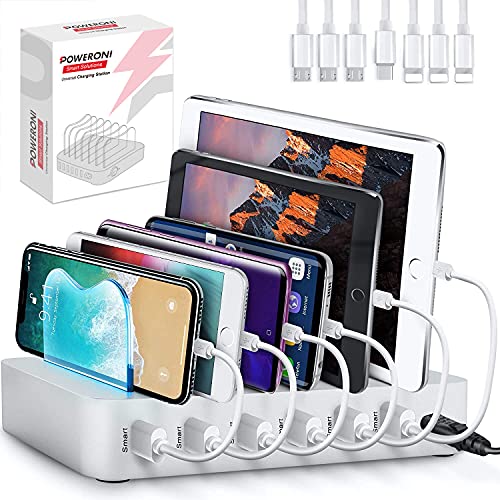
Many organizer stations feature widened center bays measuring around 1.5 inches to hold laptops and tablets inside thick protective covers. One-piece molded slots provide stable support for heavier hardware compared to fragile snap-in dividers. Checking slot dimensions ensures your computer fits upright without needing case removal.



Write Your Review
No reviews yet. Be the first to share your experience!