

Eliminating Desktop Power Brick Congestion
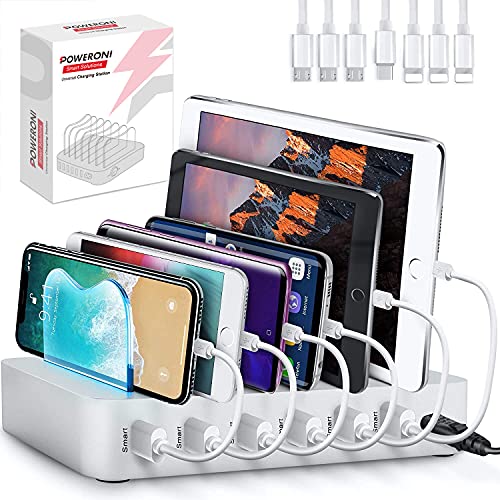
Tangled cables and crowded power strips quickly turn everyday desks into chaotic messes. Piles of bulky wall adapters fight for limited outlet space while phones slowly sip electricity from mismatched chargers. Setting up a dedicated best buy multiple charging station cleans up this clutter by channeling steady power into organized storage bays through a single AC plug. Based on our detailed comparison of port allocations, wattage ratings, and user feedback, modern multi-device stations keep everyday electronics upright and organized. Matching station capacity to your hardware needs is essential, especially when understanding how many volts in a phone charger deliver optimal charging speeds across multiple screens.
Selecting the ideal charging dock requires balancing physical slot dimensions with total electrical output. Advanced stations using GaN semiconductor technology deliver high-wattage USB-C Power Delivery for laptops without excessive heat, while standard USB-A hubs suit phones and earbuds. Sturdy one-piece slots made of flame-retardant ABS materials keep devices upright even in thick protective cases. Manufacturer safety specifications show that built-in protections against overvoltage, overcurrent, and short circuits keep your batteries secure during overnight recharging.


Frequently Asked Questions
Can a best buy multiple charging station safely power a laptop alongside phones?
Yes, as long as the station features dedicated USB-C Power Delivery ports rated at 65W or higher. High-capacity hubs supply sufficient wattage to charge laptops while simultaneously powering smaller mobile gear. Low-wattage 50W models are meant primarily for phones, tablets, and wireless earbuds rather than power-demanding notebooks.
How does dynamic power allocation work across multiple ports?
Integrated smart chips identify the power requirements of each plugged-in device and deliver optimal current. As additional devices connect, the hub balances output to prevent electrical overloading while maintaining fast charging speeds. This protects compact gadgets like fitness trackers from receiving excess power.
Do high-output charging stations degrade smartphone battery health?
No, connected devices only draw the maximum current their internal charging circuitry allows. A phone plugged into a high-wattage port regulates power intake safely. Multi-layer safety mechanisms offering overvoltage and overheat protection further preserve long-term battery health.
Will phones with thick protective cases fit into the dock slots?
Most docks feature slots ranging from 0.75 inches to 1.57 inches wide, easily accommodating phones and tablets inside heavy-duty cases. Integrated one-piece divider walls prevent the wobbling and breakage common with detachable plastic dividers. Verifying slot widths before buying ensures your encased gear rests securely upright.
Why is GaN technology beneficial in multi-device hubs?
Gallium Nitride (GaN) components transfer electrical power more efficiently than older silicon components, generating significantly less heat. This improved efficiency allows compact stations to supply higher total wattage output without overheating on your nightstand or office desk.
How can you protect charging cables from premature wear?
Using short cables tailored to your dock avoids strain on device ports and eliminates tangled slack. When organizing extra cords, understanding how to wrap a mac charger safely prevents wire crimping and internal conductor breakage. When packing for trips, pairing your desktop setup with a dedicated best portable charger for travel ensures reliable on-the-go backup power.


Write Your Review
No reviews yet. Be the first to share your experience!