

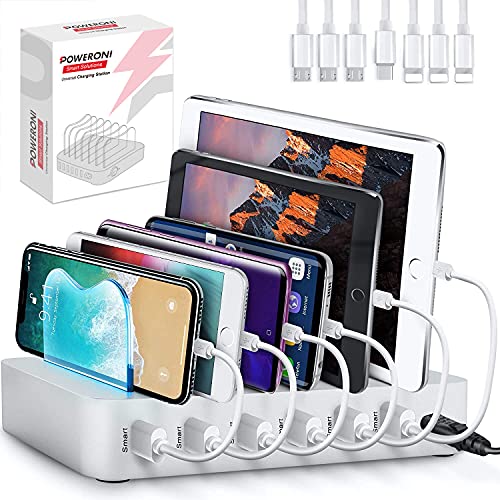
Cluttered desks and tangled power cords quickly turn any clean workstation or nightstand into a chaotic mess. Juggling multiple wall adapters to power phones, smartwatches, and tablets occupies every available wall socket. Setting up the best home usb charging station resolves this headache by consolidating power into one centralized desktop dock. Modern multi-port hubs supply steady current without overheating your hardware. If you frequently swap plugs, understanding how many volts in a phone charger helps match port outputs with your gear.
Power delivery specifications dictate how efficiently a multi-device dock charges your everyday electronics. Stations featuring high-speed USB-C Power Delivery ports power demanding tablets and laptops, while standard USB-A ports handle accessories like wireless earbuds. Keeping cords neat also requires sensible cord storage, and learning how to wrap a mac charger prevents premature cable damage. Choosing a desktop dock with solid flame-retardant housing keeps all household devices charged smoothly in one spot.


Frequently Asked Questions
Can a best home usb charging station charge a laptop alongside mobile phones?
Yes, provided the dock features a USB-C Power Delivery port rated at 65W or higher. High-wattage charging hubs supply ample power to run laptops while simultaneously directing lower current to phones. Smart power management dynamically balances total output to keep every connected device running safely.
Does charging multiple devices on one station cause overheating?
No, quality multi-port charging stations incorporate internal heat dissipation and flame-retardant materials. Many docks feature over-temperature sensors that throttle voltage if thermal thresholds are crossed. If debris causes port friction, knowing how to get rice out of charger port slots prevents unwanted resistance.
What is the difference between shared and dedicated port wattage?
Dedicated wattage guarantees fixed power to an individual port, while shared wattage splits capacity across active connections. Under shared power, plugging in a second device reduces the wattage of the first port. Checking the port allocation breakdown prevents unexpected charging slowdowns during busy hours.
Can a home USB charging station replace a portable travel pack?
No, home charging docks require constant AC wall power to operate. While multi-port stations clean up stationary desks, mobile use still requires a battery pack such as a best portable charger for travel. Pairing both ensures reliable power at home and on the road.
Will leaving electronics on a desktop charging dock overnight ruin batteries?
No, modern smart devices contain built-in charge controllers that halt high-speed current when batteries top off. Once full, the station delivers a harmless trickle charge to maintain battery levels. Multi-protection safety circuits guard against overvoltage, overcharging, and short circuits all night long.




Write Your Review
No reviews yet. Be the first to share your experience!